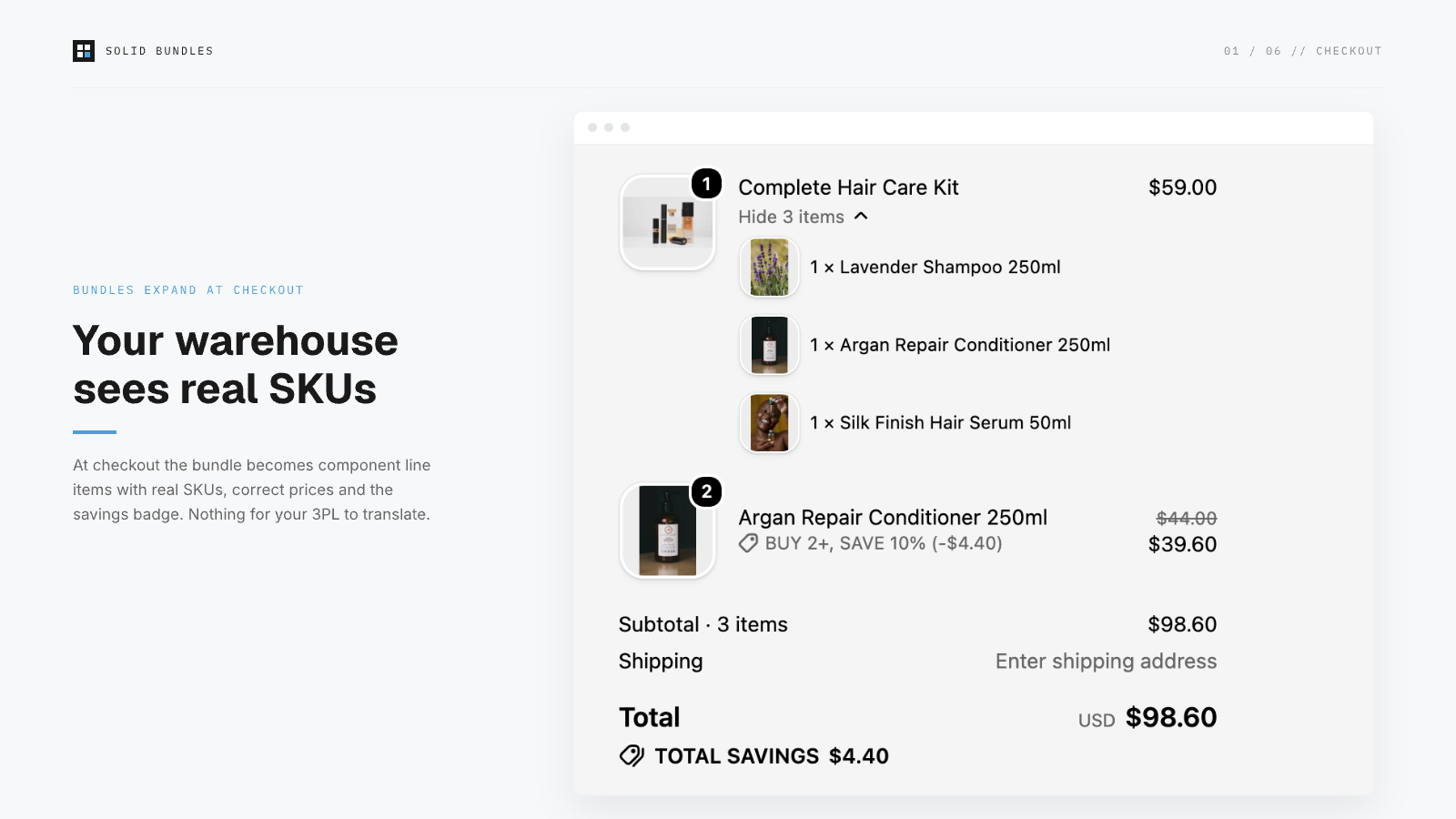
What the order looks like
A customer buys "Hair Care Set" (2× shampoo + 1× conditioner, bundle price $45):
| LINE ITEM | SKU | QTY | PRICE | ATTRIBUTES |
|---|---|---|---|---|
| Shampoo | SHAMPOO-250 | 2 | $12.50 | _bundle_parent: HAIR-SET |
| Conditioner | COND-250 | 1 | $20.00 | _bundle_parent: HAIR-SET |
The fulfillment order (what your 3PL's Shopify integration imports) lists the same component lines. Inventory decrements on the components, never on a phantom bundle SKU.
Why this matters: the failure mode we designed against
Most bundle apps work at the presentation layer: the order contains one "Bundle" line, and either your 3PL can't map it to pickable items, or the app edits the order after creation to swap in components. Post-order editing races your 3PL's import: if they pull the order before the rewrite lands, they ship the wrong thing. Peak-season order volume makes the race worse exactly when mistakes are most expensive.
Solid Bundles uses Shopify's Cart Transform API: the expansion happens inside checkout, so there is no moment where the order exists without component SKUs. There is nothing to race.
Provider notes
- ShipBob / ShipHero / Shipmonk / Amazon MCF: standard Shopify order import picks up component lines automatically. No kitting configuration needed unless you physically pre-kit.
- Pre-kitted stock: if you physically pre-assemble bundles and stock them as one unit, a fixed-bundle app isn't what you want. Create a normal product with its own SKU instead. Solid Bundles is for pick-from-components fulfillment.
- Barcode workflows: component lines carry the variant's own barcode fields; scanners resolve normally.
- Partial refunds/returns: refunds hit specific component lines, so your 3PL's return processing maps 1:1.
Multiple warehouses? Your kits stay whole.
Stock a bundle's components across two or more locations and Shopify's default routing will happily split the order — one parcel of shampoo from Warehouse A, one of conditioner from Warehouse B — or pull everything from a single location and drive it negative. Native Bundles has no lever to stop this; most bundle apps don't either.
Turn on Ship from a single location for a bundle and Solid Bundles adds a Shopify Fulfillment Constraint: every component of that bundle must be fulfilled from one location. Your customer gets one parcel, and no location is driven negative because it was missing a piece. If no single location can ship the whole bundle, checkout is blocked with a clear out-of-stock message — the order is never mis-shipped; it simply isn't taken until it can be filled correctly.
This is pure routing. It reads your locations; it never writes an inventory number, so there is nothing to drift. In the app, each ship-together bundle also shows how many complete kits are sellable from a single location — the honest count, not a pooled total that looks bigger than what can actually ship as one parcel.
Verify it yourself
App → Verification runs real test carts and shows resulting totals per market. For a full dry run: place a test order (Bogus Gateway on a dev store, or a 100% discount code) and inspect what your 3PL portal imports.
Forward one test order to your 3PL before going live. If their portal shows real component SKUs, the integration is done. Questions about your setup? Email [email protected].
View on the App StoreRunning an ERP as well? The operations guide covers reconciliation, the zero-write inventory model, and a one-hour evaluation script.